
What matters should be the first thing visitors see.
Closed today, new opening hours, or an urgent notice to get out? Breaking News puts a single message across the top of your whole website, on every page. Add a link if you like, and say when it should start and stop showing — it takes care of the rest.
WordPress plugin
Let’s talk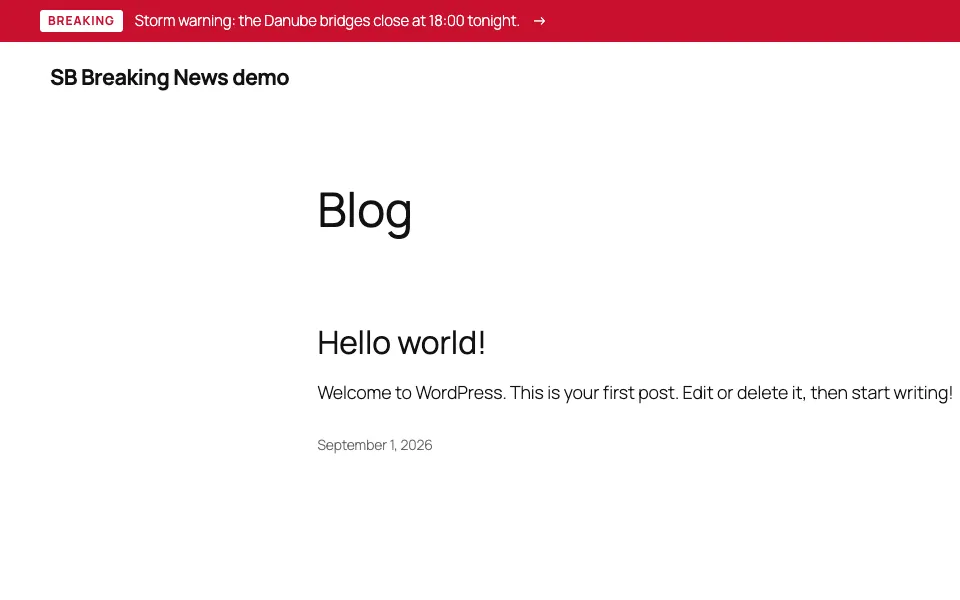
When the important news gets lost on the page
A short notice is only worth something if visitors see it before they pick up the phone.
How it works now
The message goes in the middle of the home page, where nobody sees it.
Someone arriving on a sub-page knows nothing about the closure.
After the holiday somebody forgets to remove it, and it misleads for days.
Every change means touching the theme.
How it works with this
The message shows at the top of every page, full width.
You set when it appears and when it disappears, and there is nothing to remember.
One click leads to the details, if you added a link.
You change it in the familiar WordPress settings, and the design stays as it is.
One message you cannot miss
At the top, on every page
A full-width bar above the header. You can put a short label in front, such as “Important”, or leave it empty.
One click to the details
If you add an address, the whole bar becomes clickable, with an arrow. It can open in a new tab. Without a link it stays a plain notice.
Appears and vanishes on its own
Set a start and an end in the site’s local time. Filling in just one is fine. A bar that is not live yet is shown only to you, dimmed, in the editor.
Your colours
Background and text colour as you like. The bar can stay at the top while scrolling, and it does not cover the logged-in editor’s toolbar.
Can close it
With the × button the visitor hides it for the rest of the browsing session. If you write a new message, it shows again for everyone.
Readable on a small screen
The text wraps onto several lines when needed, so it fits on a mobile.
What it needs
Let’s look at your site
Tell us what kind of notices you usually need to post, and we will show you how it would look across the top of your site.