
Turn on only what you need.
Hungarian web shops keep asking WooCommerce for the same things: local pickup, an invoice request at checkout, a sale at the push of a button. This plugin offers them as small fixes, each with its own switch — whatever you leave off does not show in the shop.
WooCommerce plugin · OmniBit add-on
Let’s talk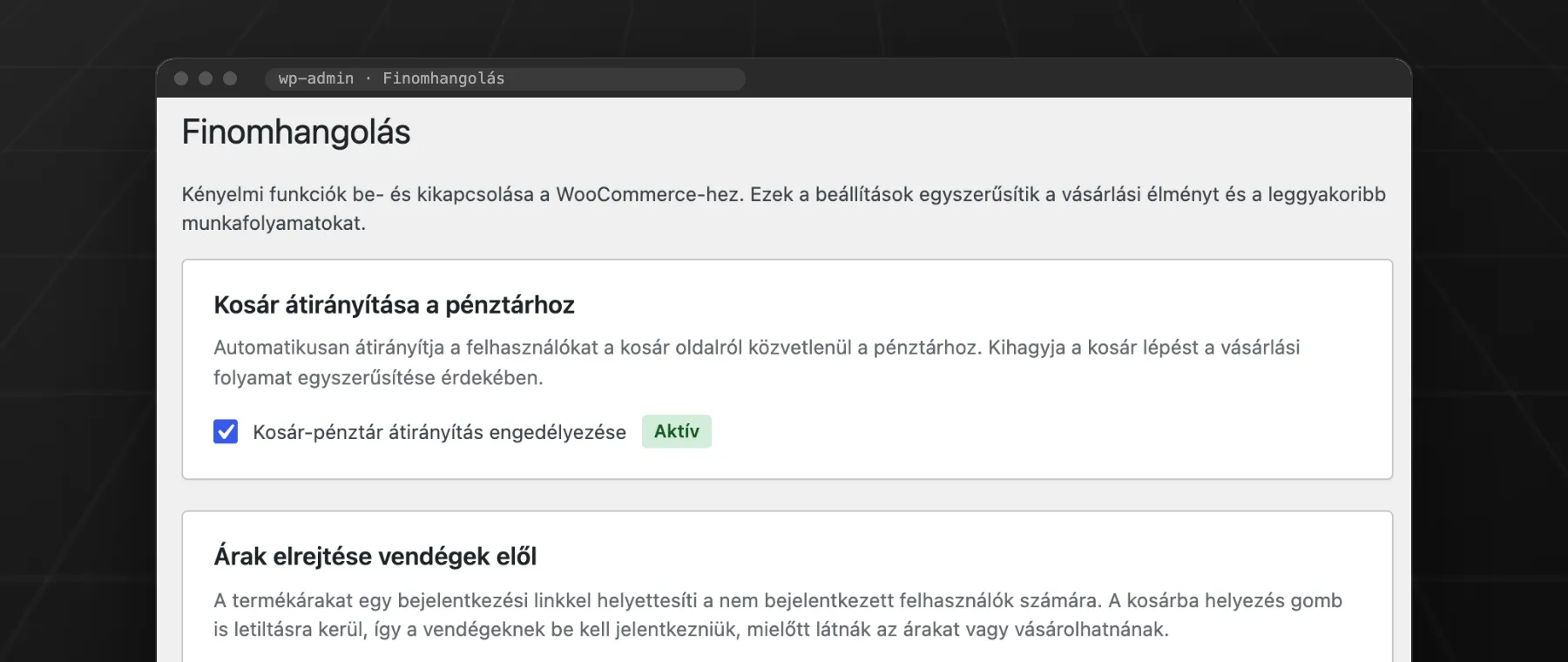
What’s in the box
One settings page with one switch per card. Turn it on, fill in what’s needed, save.
Local pickup
The customer ticks a box to say they will collect the order themselves. The shop’s address replaces the shipping address, and your own note is added to the order. The order screen also shows that it is a pickup.
Invoice request at checkout
Instead of the long billing form, one question: does the customer want an invoice? If not, there is nothing to fill in, and the order gets a cash-register receipt. If yes, they enter their details as a private person or a company, with a VAT number for companies.
Straight from cart to checkout
Anyone who opens the cart page lands on the checkout instead. An empty cart is left alone.
Infinite scroll
On the shop and category pages, the next products load by themselves as the customer scrolls down, instead of numbered pages. After a refresh or Back, they return to the same spot.
Hide prices from guests
A visitor who is not logged in sees “Log in to see the price” where the price would be, and adding to the cart is blocked. Logged-in customers buy as usual.
One percentage across the range
Set a discount and, if you like, a start and end time, and products without a sale price of their own get cheaper for that period. The original price can also show crossed out in the cart. The settings page shows whether the sale is running, scheduled or over.
Picking list
Collects the selected orders onto one summary page: how many of each product to pick. This also needs the Picking List add-on.
Products by image
Filter your products by whether they have a featured image and how many gallery images they have — so you see at a glance what is incomplete.
What it needs
Let’s see what your shop needs
Tell us what your customers ask for and what eats your time, and we’ll tell you which switches are worth turning on.