
Someone who gave you their e-mail address shouldn’t leave without a word.
Many shoppers get as far as checkout and then stop. This plugin remembers their cart and sends up to three reminders with a link that takes them straight back to it. And you see how much value came back as orders.
WooCommerce plugin · OmniBit add-on
Let’s talk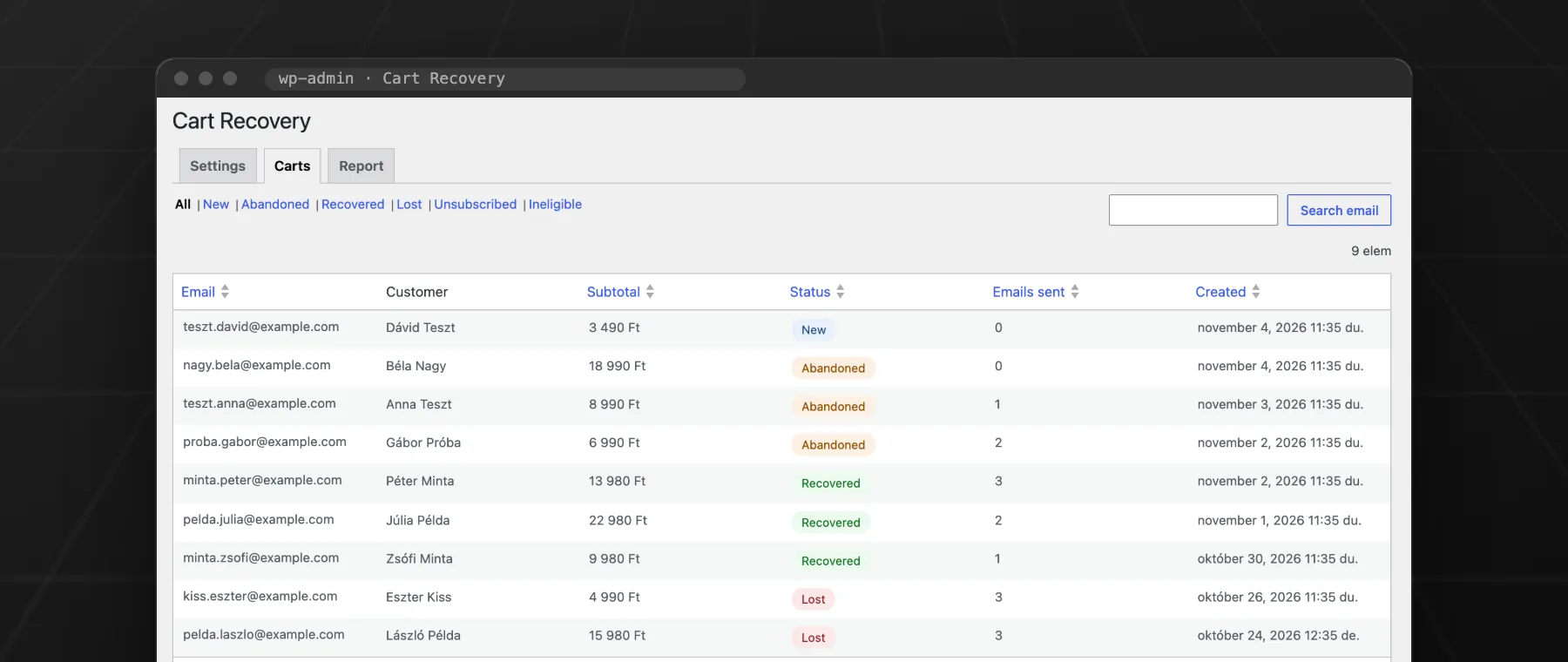
When the cart was full but the order never came
Anyone who reached checkout already wanted to buy — something just came up. A well-timed e-mail is often enough.
How it works now
The shopper types their e-mail address, closes the page — and the cart disappears with them.
You have no way to follow up: you just see fewer orders than you expected.
If they do come back, they have to fill everything in again.
You don’t know how much you left on the table.
How it works with this
The cart and the details entered are kept as soon as the shopper’s e-mail address lands in checkout.
After a time you set, the cart counts as abandoned and the reminder sequence starts.
One click in the e-mail and the shopper is back in checkout, cart and details in place.
The report shows how many carts came back, and for how much.
From cart to order
It remembers
As soon as the shopper enters a valid e-mail address at checkout, their cart and the billing and shipping details entered are saved. If they change something, the save is refreshed.
It reminds
If no order was placed within the time you set, the cart becomes abandoned and the first e-mail goes out. If that doesn’t work, the second follows, then the third.
It brings back
Clicking the link in the e-mail restores the shopper’s cart and details and takes them to checkout. If they order, the cart is counted as recovered in the report.
Six things that matter in a reminder
Three reminders
Each can be switched on or off separately and has its own subject, heading, preview text, body and delay. You edit them alongside the other WooCommerce e-mails, in the same place.
Its contents in the e-mail
The saved cart appears as a table above the message: product, quantity, price. The shopper sees what they left behind.
Greet them by name
The e-mail can include the shopper’s first name, last name, e-mail address, your shop’s name, the checkout link, and a button with your own label.
One click back
The link restores the cart and the shopper’s details, then takes them to checkout. They don’t have to search or fill in anything again.
In every e-mail
Every reminder has an unsubscribe link. One click and no more e-mails go out for that cart; the shopper gets a confirmation page.
How much came back
The report shows the number of recoverable, recovered and lost carts, the recovered revenue and the recovery rate, for any period you choose.
Small things that matter day to day
They don’t make the brochure, but they decide whether the system works quietly in the background.
3
1
30 days
What it needs
Let’s look at your shop
Tell us what you sell and how your checkout looks today, and we’ll show you how cart recovery would fit.