
Write the menu once, not five times.
The printed menu, the website and the spreadsheet with the prices rarely agree. This plugin puts the dishes into a single list: with category, photo, price, size and allergens — and a short code puts it on any page.
WordPress plugin · OmniBit add-on
Let’s talk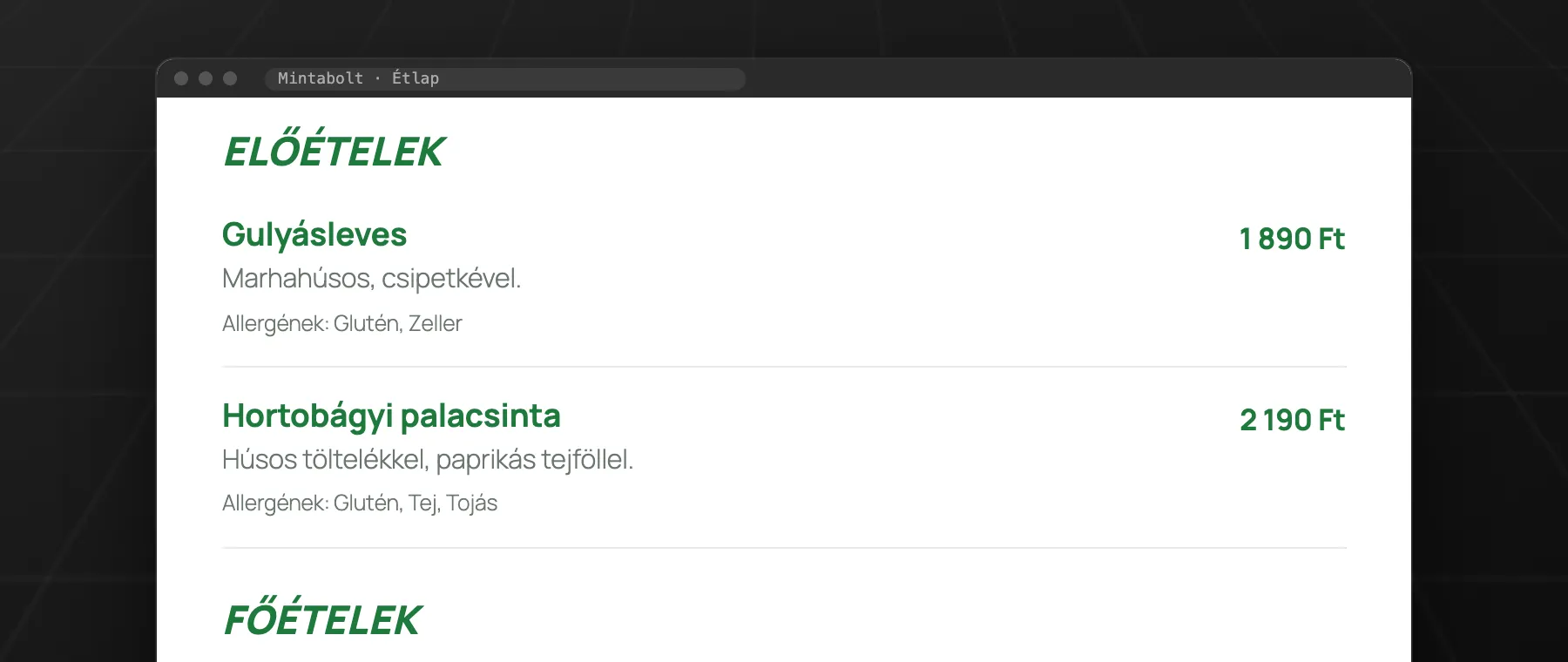
When the website shows a different price than the wall
The menu is not a big project but a daily trifle — which is why updating it keeps getting skipped.
How it goes now
The printed menu and the website are two separate files: one gets changed, the other forgotten.
A price rise has to be entered separately in every language version.
Guests ask about allergens at the counter, because the menu shows nothing.
The running order falls apart into alphabetical, because there is nowhere to rearrange it.
How it goes with this
There is one list, and the dishes and prices on the website come from it.
You change a price once, and it is the same in every language.
Every item shows its allergens and dietary tags, with a single shared note at the bottom of the page.
You drag the order into place, exactly as it stands on the printed menu.
From the empty list to the finished page
Categories
Add the courses — starters, mains, desserts, drinks — and drag them into order. Subcategories become section headings on the page.
Items
Type the dishes in one by one, or load them from a ready spreadsheet. With name, description, photo, price or size, and allergens.
Publish
A short code puts the menu on any page. Category buttons filter the courses on the page, so guests see only what they are looking for.
Six things that really matter on a menu
Filterable, sortable
The main categories become buttons that guests can switch on and off, several at a time. Items stand in the order you set.
One price or several sizes
An item can have a single price, or several sizes, each with its own price. Sizes appear side by side: 2 390 Ft / 2 690 Ft / 4 700 Ft.
By name, item by item
Listed under every dish: “Allergens: milk, eggs”. The list of the 14 common allergens loads with one click; you add any others yourself.
Six tags
Vegetarian, vegan, gluten-free, dairy-free, halal and kosher. They sit next to the dish, so guests don’t have to ask.
Spreadsheet in, CSV out
The whole menu can be loaded from an Excel spreadsheet, and the current one downloaded as CSV. A Google Sheet can be the source too — the list updates itself from it every so often.
In several languages
Works with Polylang, WPML and TranslatePress. You write the name and description per language; the price, size and photo stay shared.
Small things that count in daily use
They don’t make the brochure, but they decide whether the menu stays maintainable.
14
6
3
What it needs
Let’s look at your menu
Tell us how many items and languages your menu has, and we’ll show you how it would fit.