
Every sale shows the lowest price of the last 30 days.
Under the EU Omnibus Directive, and its Hungarian implementation, a shop announcing a discount has to show the lowest price of the previous 30 days. This plugin keeps the price history on its own, shows that price next to the discounted product, and calculates the size of the discount from it.
WooCommerce plugin · OmniBit add-on
Let’s talk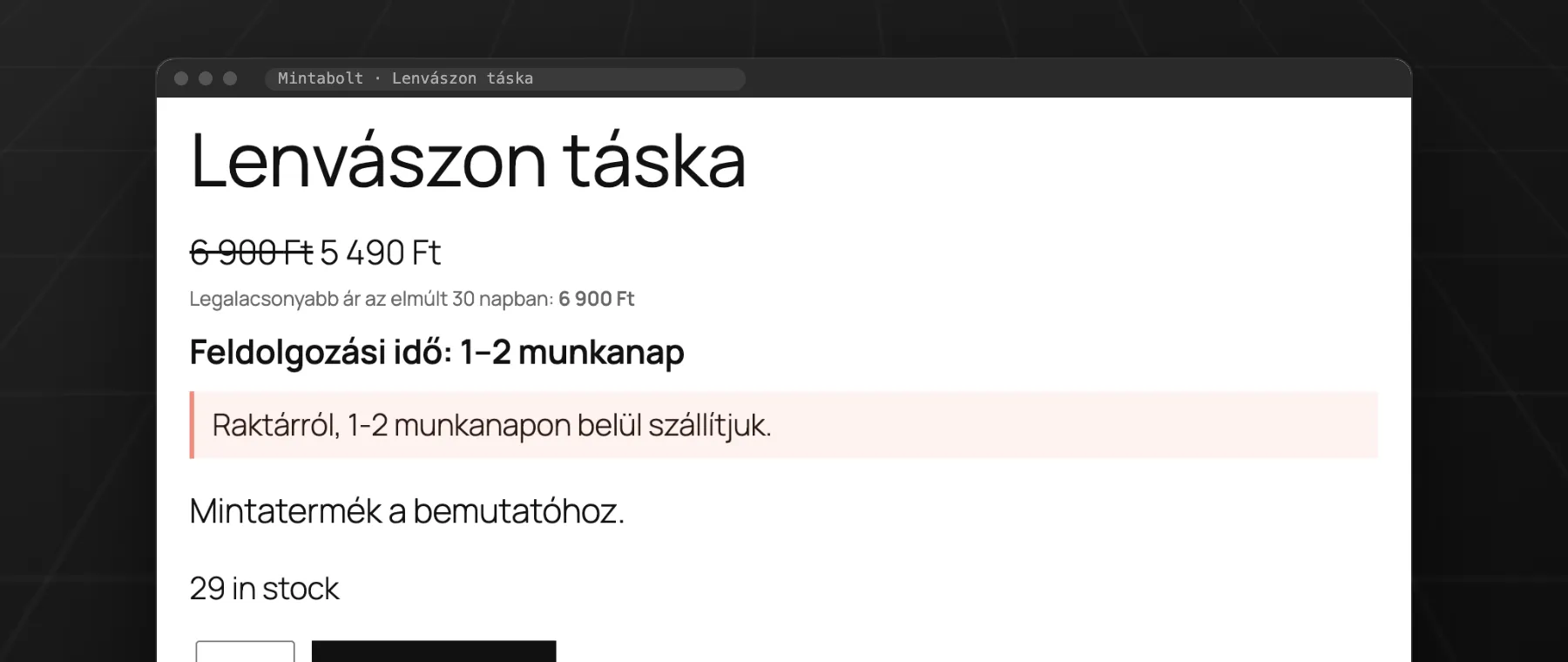
When there is nothing behind the “sale”
Prices get changed day by day, and the old price is easily forgotten — yet a discount can only be stated against it.
How it goes now
The struck-through “old price” next to a sale price is whatever someone once typed in.
What a product cost last month is only known from memory or from a spreadsheet.
The percentage badge is calculated from a typed-in price, not from what the customer actually saw earlier.
If the price changes through a scheduled sale or a bulk edit, no trace is left.
How it goes with this
Every price movement is recorded: manual edits, imports and scheduled sales alike.
On a discounted product the line sits under the price: “Lowest price in the last 30 days”.
The struck-through price and the discount badge follow that earlier price.
If there is no real discount behind a sale, it is not shown as one.
From installation to tidy prices
Install and start
Once the plugin is on, today’s price is taken as a starting point for every product. From then on it records the changes on its own.
The history builds up
Price movements are recorded in the background. Until a product has the full 30 days, the shop shows the price in the usual way.
A sale shows it
When a product is on sale, the lowest price of the previous 30 days appears below the price. On the product screen you can also check the status.
Six things this stands on
Every change is recorded
Editing in the admin, imports, changes from an outside system and scheduled sales — the plugin notices them all. A daily check also catches bulk price changes.
The line under the price
“Lowest price in the last 30 days: €49.90.” You can rewrite the text and choose whether it shows on the product page, in listings, or both.
The percentage uses the earlier price
The struck-through price and the discount badge are based on the lowest price of the previous 30 days, not on a number typed in by hand.
No false discount shows
If the current price is not lower than the earlier one, the discount is not displayed.
By size, by colour
For products with variations, each variation uses its own history; in the price range the lowest earlier prices show as “from – to”.
Perishable goods separately
Exemption can be set per product or for a whole category. What belongs there is the shop’s own decision.
Small things that count in daily use
They do not make the brochure, but they decide whether the price history stays usable.
30
13
What it needs
Let’s look at your prices
Tell us how many products you have and how you usually run sales, and we will show how the 30-day lowest price would fit in.