
The booking ends at checkout, not in a phone call.
The guest picks the day and the table, says how many are coming, accepts the house rules and pays in the web shop’s familiar checkout. The table is held for that day, and the details are right there in the order.
WooCommerce plugin · OmniBit add-on
Let’s talk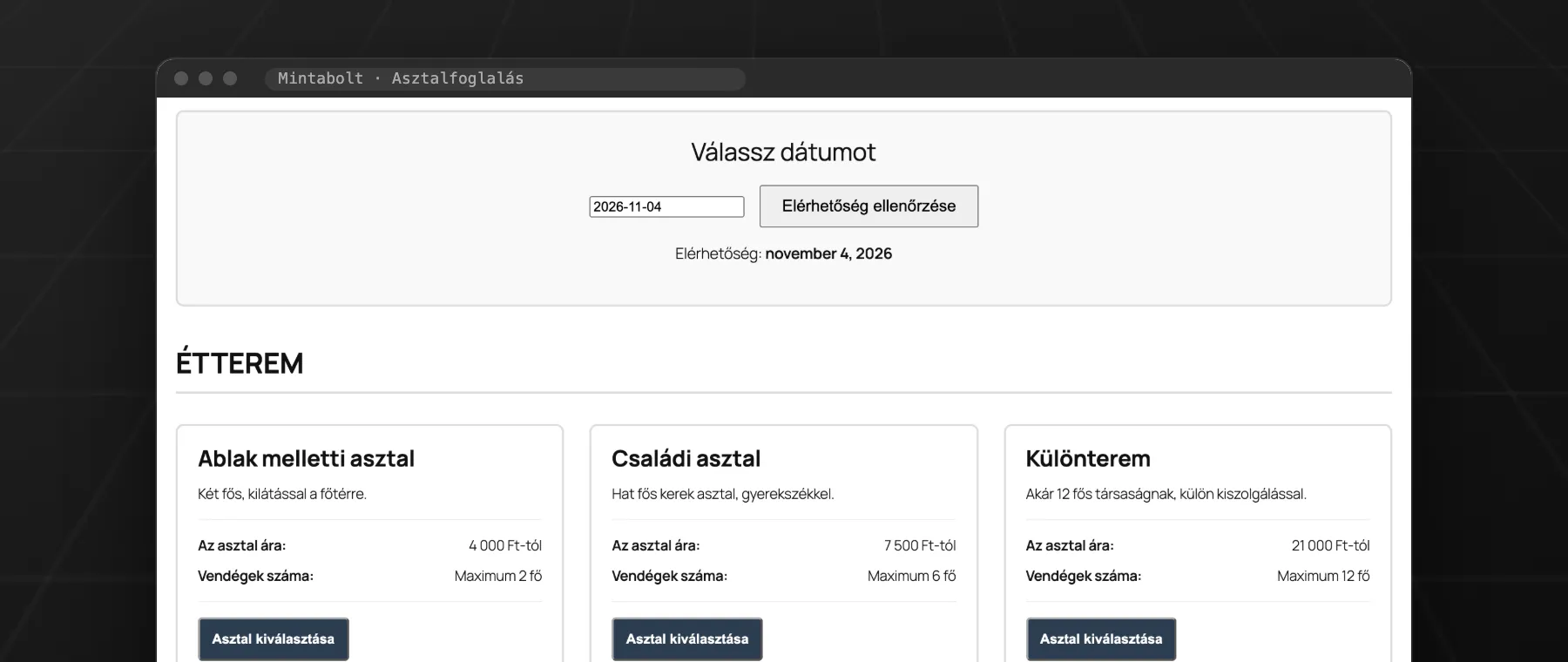
When bookings live in messages and a notebook
Whoever books a table expects it to be held — yet bookings often get lost between the phone and social media messages.
How it goes now
Bookings arrive by phone or message, and someone writes them in a notebook.
Whether a table is free depends on whoever happens to pick up the phone.
Requests come in for closed days too, and each needs its own reply.
The amount for the table is a separate matter, with no order behind it.
How it goes with this
The guest picks a day and a table on the website; closed days are greyed out.
The table is held for that day as soon as the order arrives.
Party size, arrival time and acceptance of the house rules are saved with the booking.
The booking shows up as an order, in the usual list and by email.
From the empty room to the first booking
Tables
You add the tables: name, price per guest, minimum and maximum guests. You can create up to a hundred at once from a name pattern such as “Table 1”, “Table 2”…
Opening days
You set which days you take bookings, and open or close whole categories for single days when needed. You also write the house rules yourself.
Put it out
A short code puts the booking page on any page. The guest picks a day, clicks a table, and is already at checkout.
Six things that really matter in a booking
Price per guest, guest limits
For every table you set what one guest costs and how many may sit there at least and at most. The table card shows “Maximum N people” and the price, so the guest sees both.
Entrance fee per group of tables
You sort tables into categories — terrace, inside room, for example — and can set an entrance fee per category. On the booking page the tables appear grouped by category.
Closed days greyed out
In the calendar, closed days cannot be selected. If you are closed today, the page jumps to the next open day. You can also set a different price for a single day.
The total shows as they go
As the guest changes the party size, the entrance fee, the consumable credit and the total update instantly, so there are no surprises at checkout.
The usual payment
The booking is paid in the web shop’s checkout, where the guest handles any other purchase. Which payment methods work is decided by the shop’s settings.
Every detail in the order
The booking day, party size and arrival time appear on the order confirmation, in the customer’s account, in the emails sent and on the order screen.
Small things that matter day to day
They don’t make the brochure, but they decide whether bookings run smoothly week after week.
What it needs
Let’s look at your tables
Tell us how many tables you have and which days you take guests, and we’ll show how it would fit.