
The price list is in Excel anyway. Put it online as it is.
The company keeps its prices, products or opening hours in a spreadsheet anyway. This plugin turns the Excel file into a searchable, filterable, sortable table on your site — and when you replace the file, the site updates too.
WordPress plugin
Let’s talk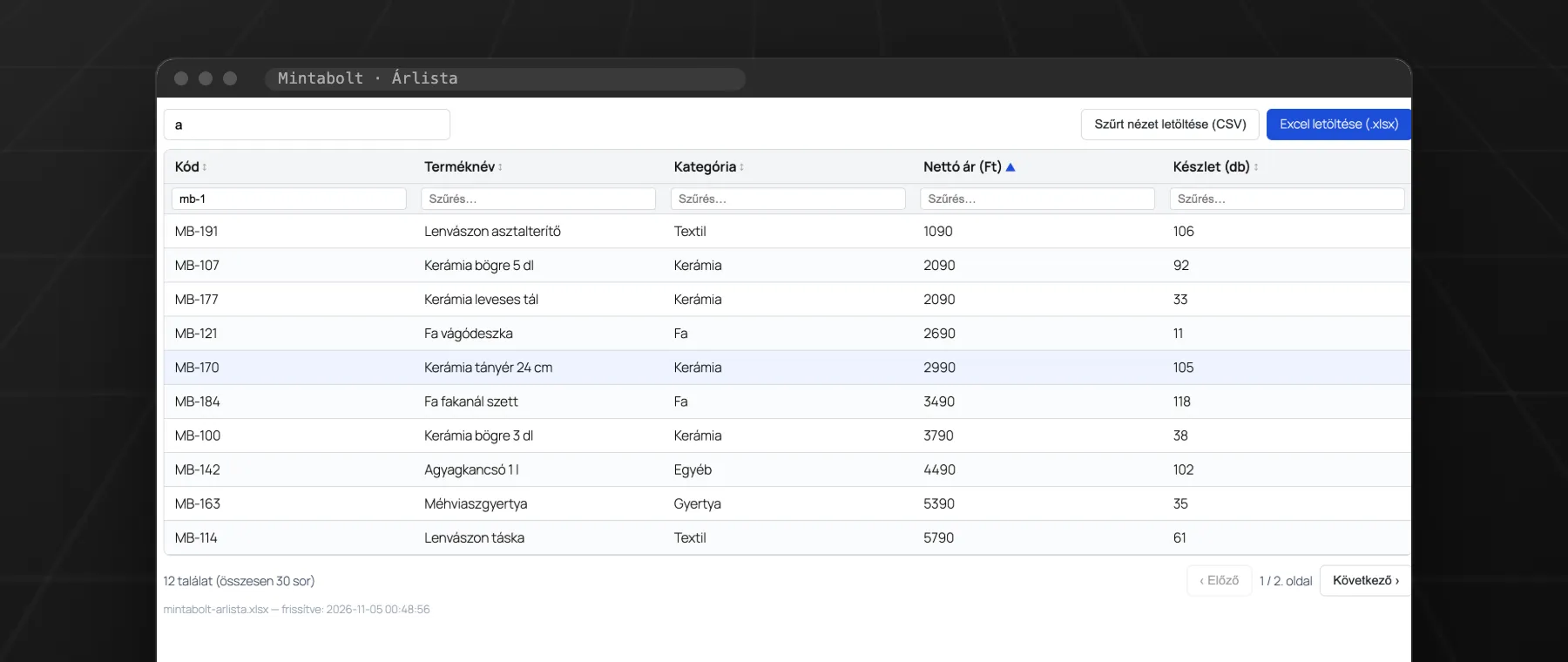
When the price list is a PDF that is always a month old
The price list changes, but the website only does when someone has time to retype it.
How it goes now
The price list lives in Excel, and the website has a PDF or a page typed in by hand.
After every change someone has to recreate and upload the PDF.
Visitors scroll through everything to find the one product.
The old PDF keeps circulating in emails for weeks.
How it goes with this
You upload the Excel file, and it becomes a table on the page.
When something changes you replace the file — the page shows the new one on the next load.
Visitors type what they are looking for, or filter by column.
Anyone who wants the full list downloads the Excel with one click.
From the file to the finished table
Upload
In the plugin’s own menu you choose the Excel file and upload it. If the file is faulty, it is rejected and the previous list stays on the page unchanged.
Place
You say which page the table belongs on, and it appears there. The first row of the file becomes the column headings.
Replace
When the list changes, you upload the new file in the same place. Old and new never show together: the last uploaded version is the one you see.
What the visitor gets
One box for the whole table
The list narrows as you type, searching all columns. The number of results is shown.
Column by column, too
Every column has its own filter box, and they add up: you can narrow down to one category and one price.
One click on the heading
Ascending and descending. Numbers are sorted as numbers, decimal commas included, so 24,50 lands where it should.
Clear even on a long list
The table is split into pages you can step through, and the heading row stays visible while you scroll.
In Excel and CSV
The full list can be downloaded as the original Excel file. The filtered, sorted view can also be saved as CSV.
As tabs
If the file has more than one worksheet, each appears on its own tab. A single worksheet shows no tabs.
Small things that matter day to day
They don’t make the brochure, but they decide whether the list stays easy to maintain.
What it needs
Let’s try it on your price list
Send us your current Excel file and we will show you how it would look on your site.